Best AI Chatbots for Business 2026: Support, Sales & Automation
Best AI Chatbots for Business 2026: Support, Sales & Automation
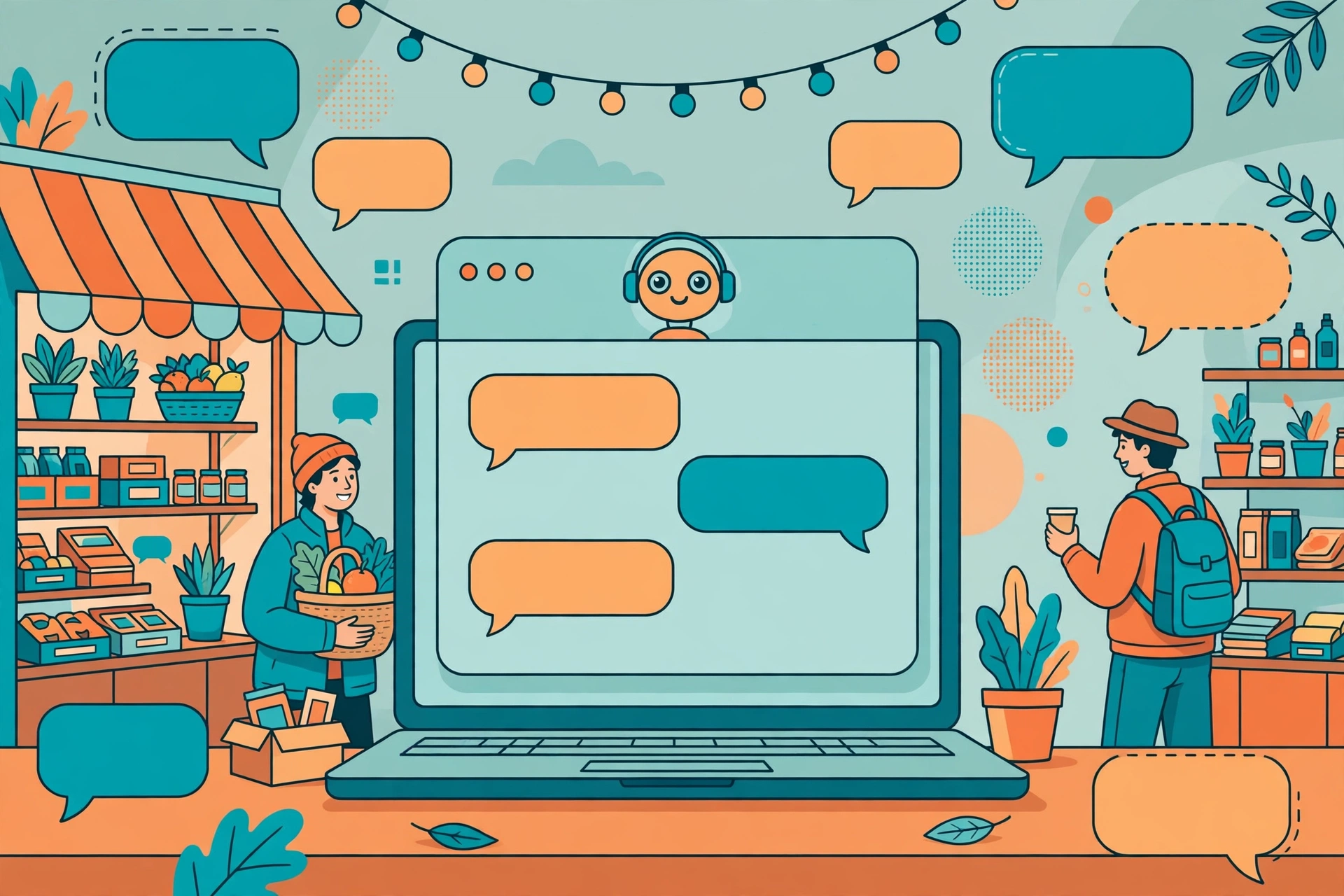
Every business, however small, gets the same questions again and again. What are your opening hours? How much does delivery cost? Do you have this in stock? Can I change my order? Answering those questions takes time, and when the answer is slow — especially outside office hours — the customer often moves on to a competitor who answers faster. That is the problem AI chatbots for business are trying to solve: give customers a helpful answer in seconds, at any hour, and free up your team for the conversations that actually need a human.
A chatbot, in this context, is a tool on your website, in your messaging apps, or inside your support system that can hold a conversation with a customer. The older kind worked from fixed rules: if the customer types a certain word, show a certain answer. The newer AI kind can understand a question written in natural language, look up relevant information from your website or help centre, and draft a reply in its own words. It can also collect details, book an appointment, take an order, or pass the conversation to a person when it reaches its limit.
That last part matters most. A good business chatbot is not a replacement for your team. It is a first line of support that handles the routine questions well, knows when it does not know, and hands over smoothly when a human is needed. A bad one traps customers in a loop, gives confident but wrong answers, and makes a simple problem feel harder than it was. This guide explains how to tell the difference, compares the well-known tools in general terms, and helps a small business choose a chatbot that fits its size, its customers and its budget.
What a Business Chatbot Actually Does
It helps to be clear about the job before choosing a tool. A business chatbot usually does one or more of four things.
The first is customer support. It answers common questions from your help centre, your product pages or your policies, tracks an order, explains a return, or helps a customer reset a password. This is the most common use, and it is where a chatbot saves the most time, because the same questions come up again and again.
The second is lead capture and sales. On a website, a chatbot can greet a visitor, ask what they are looking for, suggest a product or service, and collect a name, an email address or a phone number so your team can follow up. It can also qualify a lead — asking a few questions to find out whether the visitor is a serious buyer — before passing them to sales.
The third is booking and ordering. A chatbot can check availability, book an appointment, take a table reservation, or start an order, without the customer having to call or fill in a long form. For service businesses, restaurants, clinics and shops, this can be the most valuable use of all.
The fourth is internal help. The same technology can answer staff questions about leave, expenses, IT problems or company policies. That is less visible to customers, but it can save a small team a surprising amount of time.
Most small businesses need only the first two or three of these to start with. It is better to launch a chatbot that does one job well than one that tries to do everything and does none of it reliably.
Rule-Based, AI-Powered, and Human Handover: The Three Models
Business chatbots fall roughly into three kinds, and knowing which kind you are looking at will save you from disappointment.
Rule-based chatbots follow a script you write. The customer picks from buttons or types a keyword, and the bot follows a fixed path. They are simple, predictable and cheap, and they work well when the questions are limited and the answers are short — opening hours, prices, delivery areas. Their weakness is that they cannot handle a question phrased in an unexpected way. If the customer writes something the script did not anticipate, the bot fails.
AI-powered chatbots use a language model to understand the question in the customer’s own words and generate a reply. They can handle a much wider range of phrasing, and they can draw on your help centre or website to answer questions you did not write a script for. Their weakness is the opposite one: they can sound confident while being wrong, especially if they are given too little information or asked about something outside their training. That is why the better tools let you limit what the bot can answer from, and why a human review of its answers matters in the early weeks.
The third model is not a kind of bot at all, but a feature every good bot needs: human handover. When the bot cannot answer, when the customer asks for a person, or when the conversation involves a complaint, a refund or a complex decision, the bot should pass the chat to a human, with the conversation history attached, so the customer does not have to start again. If a tool makes handover awkward, or hides the option to speak to a person, that is a serious drawback.
In practice, many modern tools combine all three: a scripted flow for the most common tasks, AI for open questions, and a human team for everything else. That combination is usually the right goal for a small business.
What to Look For Before You Choose
Choosing a chatbot is less about the brand name and more about a short checklist that fits your business.
Start with where your customers already talk to you. If most enquiries come through your website, a website widget is the priority. If they come through WhatsApp, Instagram or Facebook Messenger, you need a tool that works on those channels. If they come by email, you may need a support tool with AI replies rather than a chat widget. A chatbot that lives where your customers do not will not help, however good it is.
Next, consider setup effort. Some tools are designed for non-technical users: you connect your website, paste in your help articles, and the bot is ready to try in an afternoon. Others need more setup — connecting a knowledge base, writing flows, training the bot on your products, and integrating with your customer system. Be honest about how much time you can give to setup, and how much ongoing maintenance you can do. A bot that needs weekly tuning will only stay accurate if someone actually does the tuning.
The knowledge source is the next thing to check. The best results come when the bot answers from your own material — your help centre, your product pages, your policies — rather than from general knowledge. Look for a tool that lets you point it at your own content, update that content easily, and see which source it used for an answer. If you cannot easily update what the bot knows, it will start giving out-of-date answers as soon as your prices or policies change.
Integration matters too. At a minimum, the bot should work with the tools you already use: your email, your customer database, your booking system, or your helpdesk. A bot that collects leads but cannot send them anywhere useful creates more work, not less. Check the integrations before you commit, and test the one that matters most to you.
Reporting is easy to overlook and hard to live without. You need to know how many conversations the bot handled, how many it passed to a human, which questions it could not answer, and whether customers were satisfied. Those unanswered questions are your to-do list: each one is a gap in the bot’s knowledge, or a sign that the question needs a human. A tool with weak reporting will leave you guessing.
Finally, think about tone and language. The bot will speak for your business, so you should be able to set how formal or friendly it sounds, what it calls itself, and what languages it supports. If you serve customers in more than one language, check that the bot handles those languages well, not just that they appear on a list.
Intercom: A Popular Choice for Support and Sales Together
Intercom is one of the best-known names in business messaging, and it is best understood as a full customer communication platform with a chatbot built in, rather than a chatbot alone. It combines live chat, email, help centre articles and automated messages in one place, and its AI assistant can answer common questions, suggest replies to your team, and hand over to a human when needed.
For a business that already handles a lot of customer conversations, that combination is appealing. Your team works in one inbox, the bot handles the routine questions, and the customer gets a consistent experience whether they are talking to the bot or to a person. Intercom also offers tools for onboarding new customers and sending targeted messages, which makes it useful beyond support alone.
The trade-off is cost and complexity. Intercom is a substantial product, and it is generally aimed at businesses that are ready to invest in customer communication as a system, not just a widget on a website. For a very small business with only a handful of enquiries a day, it may be more than you need. For a growing business that wants support, sales and messaging in one place, it is a popular choice and worth trying.
Zendesk AI: Support-Focused, Built on a Helpdesk
Zendesk is a long-established helpdesk platform, and its AI features are built on top of that foundation. The chatbot can answer questions from your help centre, route tickets to the right team, and help your agents by suggesting replies and summarising conversations. Because it sits inside a helpdesk, the handover from bot to human is usually smooth: the agent sees the full history, the customer’s details, and what the bot already tried.
That matters if your main problem is support volume. A chatbot that lives inside your helpdesk is easier to manage than one that lives in a separate system, because your team does not have to check two places. Zendesk is a good starting point if you already use a helpdesk, or if you expect support to become a significant part of your work as you grow.
The trade-off, as with Intercom, is that it is a larger system with more to learn. If you only need a simple chatbot on a website, a smaller tool may be quicker to set up. If you need a support operation that will scale, Zendesk’s AI is worth considering.
HubSpot: A Good Fit If You Already Use HubSpot
HubSpot offers a chatbot as part of its wider marketing and sales platform, and that is both its strength and its limitation. If you already use HubSpot for your website, your email or your customer database, its chatbot fits naturally: it can capture leads, book meetings, answer common questions, and send the details straight into your HubSpot contacts, where your team can follow up.
For a small business already in the HubSpot world, that integration saves a great deal of fiddling with connections between tools. For a business that does not use HubSpot, there is less reason to choose its chatbot over a standalone tool, because you would be adopting a larger platform to get one feature.
The lesson here applies more widely: when a chatbot is part of a platform you already use, the integration is often worth more than a slightly better chatbot elsewhere. Check what you already have before shopping for something new.
Drift: Focused on Sales Conversations
Drift built its reputation on sales chat: greeting website visitors, starting a conversation, qualifying a lead, and booking a meeting with the sales team. Its chatbot is designed to move a visitor towards a conversation with a person, rather than to resolve a support question on its own.
That focus makes it a popular choice for businesses where the website is a source of leads — software companies, agencies, service businesses and others where a conversation is the first step to a sale. If your main goal is to turn more visitors into booked calls or enquiries, Drift is worth trying.
If your main goal is support, Drift is less obviously the right fit. A sales-focused bot can feel pushy when a customer just wants to know how to return an item or track an order. Match the tool’s focus to your main goal, not just to its reputation.
ManyChat and Tidio: Simpler Options for Small Businesses
ManyChat is best known for chatbots on messaging apps, especially Facebook Messenger, Instagram and WhatsApp. It is built around visual flows: you drag blocks together to create a conversation, add buttons and quick replies, and set up automated messages for common situations. It is a popular choice for shops, creators and small businesses that sell or support customers mainly through social media and messaging.
Tidio is a simpler website chat tool with AI features, live chat and a chatbot in one package. It is aimed at small businesses and online shops, and it is designed to be set up quickly without technical help. It can answer common questions, collect contact details, and hand over to a human, and it connects with common shop platforms.
Both are worth trying if you want something quick, affordable and easy to manage, and if your customer conversations are mainly on a website or in messaging apps. Their limits appear when you need deep integration with a helpdesk, complex automation, or support across many channels at once. For many small businesses, though, that simplicity is exactly the point.
Chatbase, Botpress and the Build-Your-Own Approach
A newer group of tools takes a different approach: they let you build a chatbot trained on your own content, often by uploading documents or pointing the tool at your website. Chatbase is a well-known example of this style. You give it your help articles, product pages or PDFs, and it creates a chatbot that answers from that material. It is a quick way to turn existing content into a working bot, and it is popular with small teams that want a custom chatbot without building one from scratch.
Botpress is a more open, developer-friendly platform for building chatbots, with more control over how the bot behaves, what it can do, and where it runs. It suits teams with some technical skill who want to build something specific, rather than use a ready-made product.
These tools are worth knowing about because they show how the market is changing. You no longer need to write every answer by hand, and you no longer need a large budget to have a bot that knows your business. But they also need care: a bot trained on your content is only as good as that content, and if your help articles are out of date, the bot will confidently repeat the out-of-date information. Keep your source material current, and the bot will stay current too.
If you want to understand the technology behind these tools in plain language, our guide on how AI chatbots work (https://stylishnamees.com/how-ai-chatbots-work-beginners-explained) explains the basics, and our guide to 10 ways to use AI chatbots for work (https://stylishnamees.com/use-ai-chatbots-for-work-10-ways-beginners) shows practical uses beyond customer support.
How to Set Up a Business Chatbot Without Annoying Customers
A chatbot fails most often not because the technology is bad, but because it is set up badly. A few principles will help you avoid the common mistakes.
First, start small. Pick the ten or twenty questions you get most often, and make sure the bot answers those well. Launch with that, and add more over time as you learn what customers actually ask. A bot that answers twenty questions reliably is more useful than one that tries to answer two hundred and gets half of them wrong.
Second, be honest that it is a bot. Customers do not mind talking to a bot if it helps them quickly. They do mind being tricked into thinking they are talking to a person, and then discovering they are not. Give the bot a clear name, say it is an automated assistant, and make the option to speak to a human easy to find.
Third, write answers in your own voice. A bot that sounds like a legal document will feel cold, and a bot that sounds like a marketing brochure will feel untrustworthy. Use the same plain, friendly language you would use in an email to a customer. Keep answers short, give the customer the next step, and link to the full help article when the answer needs more detail.
Fourth, test with real customers, not just with your team. Your team knows the answers already, so they will not ask the questions the way a real customer does. Ask a few friendly customers to try it, watch where they get stuck, and fix those spots first. The questions the bot cannot answer are the most valuable feedback you will get.
Fifth, review the conversations every week in the early months. Look at what the bot got wrong, what it could not answer, and where customers asked for a human. Update the knowledge base, fix the wrong answers, and add the missing ones. A chatbot is not a set-and-forget tool. It needs regular care, but that care is much less work than answering the same questions by hand.
Measuring Whether Your Chatbot Is Working
You need a few simple measures to know whether the bot is helping or hurting. The first is resolution: how many conversations did the bot complete without a human? The second is handover: how many did it pass to a person, and why? The third is customer satisfaction: did customers rate the conversation as helpful? The fourth is time saved: how much less time is your team spending on routine questions?
Look at the reasons for handover carefully. If customers are asking for a human because the bot gave a wrong answer, fix the answer. If they are asking because the question is genuinely complex, that is the system working as it should. If they are asking because they could not find the human option, fix the design.
Also watch for the questions the bot could not answer at all. Those are gaps in your help content as much as gaps in the bot. Each one is a chance to write a better help article, which helps both the bot and the customers who prefer to read rather than chat.
Do not judge a chatbot only by how many conversations it handles. A bot that handles many conversations badly is worse than a bot that handles fewer conversations well. Customer trust is harder to rebuild than it is to keep, and a frustrating chatbot can cost you customers who would otherwise have stayed.
Common Mistakes Small Businesses Make
The first mistake is hiding the human option. Some businesses set up a chatbot to deflect customers from contacting support, and make it hard to reach a person. That may reduce support tickets in the short term, but it increases frustration, and frustrated customers leave. Make the human option visible from the start.
The second mistake is letting the bot answer questions it should not. A bot should not give legal advice, medical advice, financial advice, or make promises about refunds, compensation or delivery dates that it cannot keep. Set clear limits on what the bot can say, and route those topics to a human.
The third mistake is never updating the bot. Prices change, policies change, products are discontinued, and a bot that still quotes last year’s price will create problems for your team. Put a simple routine in place: whenever you change a price or policy, update the help article and the bot’s knowledge at the same time.
The fourth mistake is measuring the wrong thing. Counting how many messages the bot sent tells you nothing about whether it helped. Measure resolution, satisfaction and time saved, and listen to what customers actually say about the experience.
The fifth mistake is launching too big. A bot that tries to do support, sales, booking, complaints and internal help on day one will do none of them well. Start with one job, do it well, and expand only when the first job is working reliably.
Pricing Models: What to Expect in General Terms
Chatbot pricing usually follows one of a few models. Some tools charge a monthly subscription, often with tiers based on how many conversations, contacts or team members you have. Some charge by usage — the number of messages or conversations handled. Some offer a free tier with limits, which is useful for testing. Larger platforms often combine a subscription with extra charges for AI features.
Rather than comparing headline prices, which change often, work out your expected volume: roughly how many customer conversations you have in a month, and how many of those are routine questions a bot could handle. Then check what that volume costs on each tool you are considering. A tool that is cheap for a small shop can become expensive as volume grows, and a tool that looks expensive for a small shop can become good value when it saves hours of staff time each week.
Also check what is included in the price. Some tools charge extra for AI features, for additional channels such as WhatsApp, or for more team members. Ask what the total monthly cost will be for your actual use, not just the starting price on the pricing page.
Frequently Asked Questions
What is the best AI chatbot for a small business?
There is no single best choice. For simple website and messaging chat, a tool such as Tidio or ManyChat is a good starting point. For support inside a helpdesk, Zendesk AI is worth trying. For sales conversations, Drift is a popular choice. For a full communication platform, Intercom is worth considering. Choose based on where your customers talk to you and how much setup you can manage.
Do I need technical skills to set up a business chatbot?
Most modern tools are designed for non-technical users, with visual builders and templates. You can usually launch a simple bot in an afternoon. More complex setups — connecting a knowledge base, integrating with other systems, or building custom flows — may need more time or some technical help.
Will a chatbot replace my support team?
No, and it should not be expected to. A good chatbot handles routine questions and passes complex, sensitive or unusual cases to a human. Your team spends less time on repetition and more time on the conversations where a person makes a real difference.
How do I stop a chatbot giving wrong answers?
Limit the bot to answering from your own help centre and website, keep that material up to date, review conversations regularly, and set clear limits on topics it should hand to a human. Test it with real customer questions before launch, and keep testing after launch.
Can a chatbot work on WhatsApp and Instagram?
Yes, several tools support WhatsApp, Instagram, Facebook Messenger and other messaging apps, in addition to a website widget. Check that the tool you choose supports the channels your customers actually use, and whether there are extra charges for those channels.
How much does a business chatbot cost?
Pricing varies widely, from free tiers with limits to monthly subscriptions that grow with volume and features. Work out your expected number of conversations per month, check what that volume costs on each tool, and include any extra charges for AI features or additional channels.
Should a chatbot pretend to be human?
No. Customers should know they are talking to an automated assistant. Be clear about it, give the bot a name, and make it easy to reach a human. Honesty builds trust, and trust keeps customers.
Conclusion
A good AI chatbot for business is not the one with the most features. It is the one that answers your customers’ most common questions quickly, knows when to hand over to a human, and fits the way your business already works. Start by listing where your customers talk to you and what they ask most often. Choose a tool that works on those channels, start small with the questions that matter most, be honest that it is a bot, and review its conversations every week until it is reliable. If you do that, a chatbot will save your team time, help your customers faster — including outside office hours — and give you a clearer picture of what your customers actually need. To learn more about the wider picture, read our guide to the best AI tools for content creators (https://stylishnamees.com/best-ai-tools-content-creators-2026) for other ways AI can help a small business, and our guide to the best AI email assistants (https://stylishnamees.com/best-ai-email-assistants-2026-beginners) for handling the inbox side of customer communication.