Best AI Meeting Notes Tools in 2026: Transcription, Summaries and Action Items
Best AI Meeting Notes Tools in 2026: Transcription, Summaries and Action Items
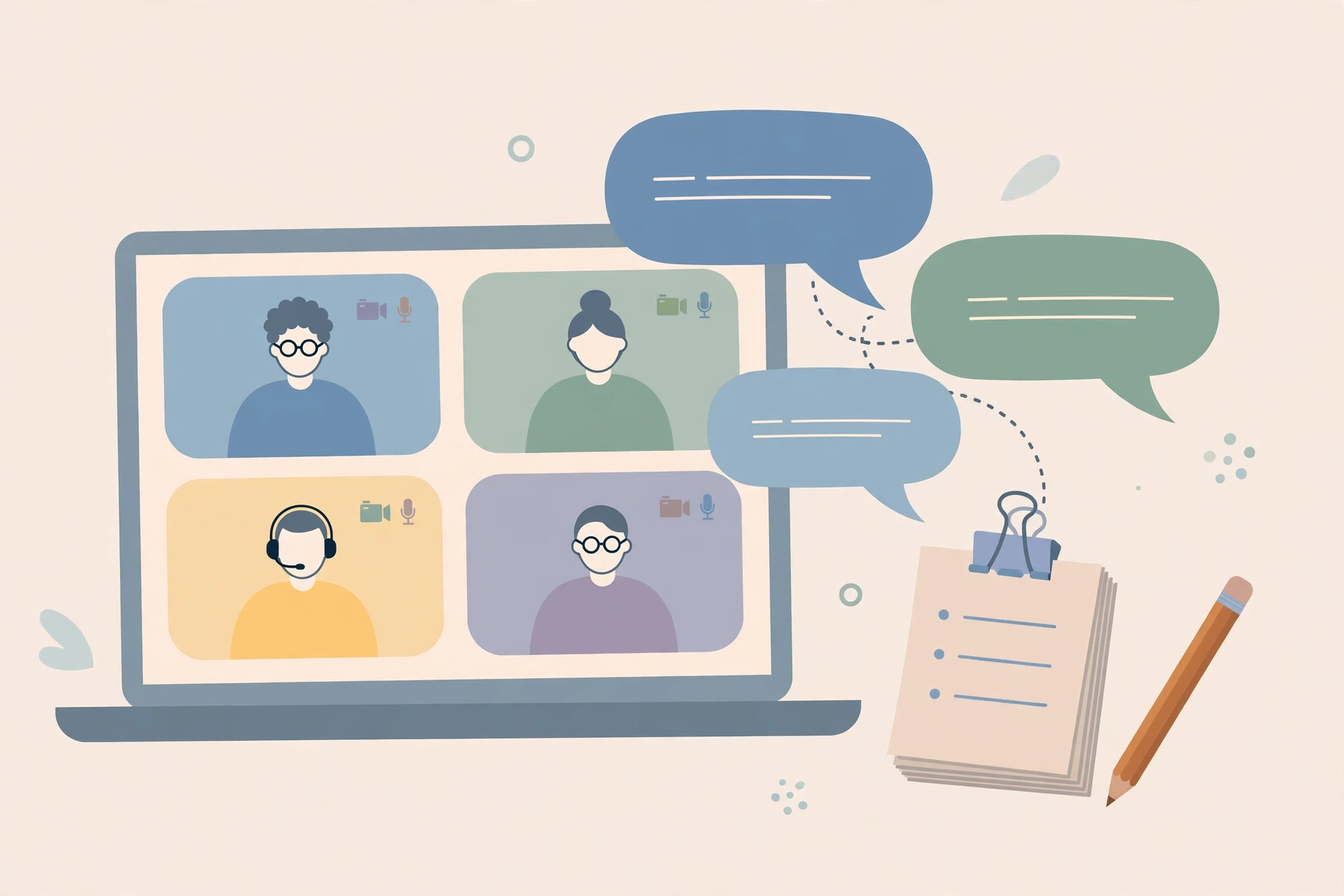
Most meetings end the same way: everyone leaves with a slightly different memory of what was decided. One person remembers the deadline as Friday, another as next Monday. Someone was supposed to follow up with the client, but nobody wrote it down, or the note is buried in a chat thread nobody can find. AI meeting notes tools exist to fix exactly this problem. They listen to a meeting, transcribe what was said, summarise the discussion, and pull out action items — so the team leaves with one shared record instead of five private memories.
These tools have improved quickly, and they are now common in remote and hybrid teams, in classrooms, and even in small businesses that never thought of themselves as “AI companies”. But they are not all the same, and they are not all appropriate for every kind of meeting. A tool that is perfect for an internal team stand-up may be a poor choice for a meeting about redundancies, a medical discussion, or a call with a client under a strict confidentiality agreement. This guide explains how the tools work, what to look for, how the main types compare, and how to use them without creating a privacy problem.
How AI Meeting Tools Actually Work
Strip away the marketing, and most AI meeting tools follow the same three steps. First, they capture audio — either by joining the call as a participant, by recording through a browser extension, or by processing an uploaded recording after the meeting. Second, a speech-recognition system turns that audio into a transcript, usually identifying different speakers along the way. Third, a language model reads the transcript and produces the outputs people actually use: a summary, a list of decisions, and action items with owners and deadlines where those were mentioned.
The quality of everything downstream depends on the first two steps. If the audio is poor — a speaker on a bad connection, several people talking over each other, heavy background noise — the transcript will have errors, and the summary will quietly inherit them. This is the single most important thing to understand about these tools: a confident-looking summary can be built on a misheard sentence. Good tools make this visible by linking summary points back to the transcript, so you can check what was actually said. Tools that only show you a polished summary, with no way to verify it, should be treated with more caution.
Speaker identification is the other piece that matters more than it sounds. In a one-to-one call it barely matters; in a meeting with eight people, a summary that attributes a decision to the wrong person is worse than no summary at all. Tools handle this differently: some ask participants to identify themselves, some guess from voice patterns, and some simply label speakers as “Speaker 1” and “Speaker 2” and let you correct them afterwards. For larger meetings, check how a tool handles speakers before you commit to it.
The Main Types of Tools Compared
It helps to think in categories rather than brand names, because individual products change features and pricing constantly — check the official site of any tool before you rely on a specific feature or plan. Broadly, there are four types.
The first type is the meeting bot: a tool that joins your video call as an extra participant, visibly present, and records the meeting. This is the most common type, and it works across the major video platforms. Its advantage is simplicity — it works even when the host’s platform has no built-in recording — and its disadvantage is visibility in the other direction: some participants find a bot in the meeting off-putting, and in some organisations bots are blocked by IT policy.
The second type is the built-in assistant: transcription and summary features that come with the video platform itself or with a workplace suite you already use. These are often the easiest option for teams already on one platform, because there is nothing extra to install and access controls usually follow the organisation’s existing setup. Their summaries can be more basic than a dedicated tool’s, and they may only work inside that one platform, which matters if your team meets across several tools.
The third type is the personal recorder: an app on your phone or computer that records a meeting you are physically in — an in-person meeting, a phone call, or a conversation at a conference. These are useful for people who spend much of their working life away from video calls, such as field workers, interviewers and students. Accuracy depends heavily on microphone placement and room noise, so they work best in quiet rooms with the device close to the speakers.
The fourth type is the post-meeting processor: a tool that does not attend the meeting at all, but takes a recording or an existing transcript and turns it into summaries, action items and searchable notes. This is a good fit when recording is handled elsewhere — for example, when a platform already records the call — and you only need the summarising layer. It also gives you more control, because you decide what gets uploaded and when.
None of these types is universally best. A small team that lives on one video platform may be perfectly served by the built-in option. A freelancer who meets clients on three different platforms may prefer a bot that works everywhere. A manager who mostly needs clean action items after the fact may only need the processing layer. Start from how your meetings actually happen, not from a feature list.
What to Look For: Accuracy
Accuracy is the first thing to test, and the honest way to test it is with your own meetings, not a vendor demo. Vendor demos use clean audio, native speakers and scripted conversations. Your meetings have accents, jargon, crosstalk and bad connections. Most tools offer a trial or free tier — use it on two or three real meetings and check the transcript against your own memory, paying attention to names, numbers, dates and technical terms. Those are the words where errors cost the most.
A few accuracy features are worth looking for. Custom vocabulary — the ability to teach the tool your company’s product names, client names and industry terms — makes a real difference in specialist fields. Support for your team’s languages matters too: a tool that transcribes English beautifully may struggle with a meeting that switches between two languages, or with a strong regional accent. And check how the tool handles overlapping speech. No tool handles it perfectly, but the better ones at least mark uncertain passages rather than inventing clean sentences from a muddle.
One practical habit improves accuracy for every tool: better audio in, better notes out. Ask participants to use a headset where possible, keep one speaker at a time as a norm, and say names and numbers clearly when they matter — “the deadline is the fifteenth of November” is easier to transcribe correctly than “the fifteenth”. These small habits cost nothing and they help human note-takers just as much as AI ones.
What to Look For: Privacy and Security
Privacy is where meeting tools deserve the hardest questions, because the data involved is unusually sensitive. A meeting transcript can contain salary discussions, health information, unannounced business plans, personal conflicts and client confidences. Before adopting any tool, find out the answers to a short list of questions, from the tool’s official documentation or privacy policy — not from a sales page.
First, where is the recording stored, and for how long? Some tools store recordings by default and keep them indefinitely unless you delete them; others delete audio once the transcript is made. Second, is your meeting data used to train the provider’s models? This is a setting on some tools and a blanket policy on others, and it matters enormously for confidential work. Third, who can access the notes — just the meeting participants, the whole organisation, or anyone with a link? Fourth, does the tool comply with the regulations that apply to you, such as workplace data rules in your country or sector-specific rules in health, finance or education? If you cannot find clear answers, that is itself an answer.
For individual users and small teams, two settings deserve attention above all: turn off model training on your data if the tool allows it, and set a retention rule — for example, deleting recordings after thirty days while keeping the written notes. For organisations, the decision usually belongs with IT or whoever owns data policy, not with individual employees picking tools on their own. A tool adopted by one enthusiastic team member can create a compliance problem for the whole company if it stores client data somewhere it should not be.
What to Look For: Integrations and Workflow
A meeting tool earns its keep by fitting into the workflow that happens after the meeting. A summary that sits in a separate app nobody opens is barely better than no summary. Look for connections to the places your action items actually live: task managers, project boards, CRMs and shared documents. The best integrations do more than copy text — they create tasks with owners and due dates pulled from the discussion, and they link back to the relevant part of the transcript so anyone can check the context.
Finally, consider how the tool handles meetings you did not attend. A good “catch me up” summary — short, decision-focused, with action items for you specifically — is one of the most useful features these tools offer, especially for managers and for anyone returning from leave. If your team has frequent absences or large meetings where not everyone needs every detail, test this feature specifically.
Privacy Tips for Recording Meetings
Technology questions aside, recording a meeting is a human question first. These practices will keep you on the right side of both the law and your colleagues’ trust.
Tell people before you record, every time. Even where the tool announces itself as a bot, say it out loud at the start: “I’m recording this so we have shared notes — is everyone okay with that?” Consent rules vary by place, and in some jurisdictions every participant must agree, while in others one party’s consent is enough. Do not rely on a general rule you read online; check what applies where you and the other participants are located, and when in doubt, get explicit agreement. If someone objects, respect it — turn the tool off and take manual notes instead.
Be extra careful with sensitive meetings. Performance reviews, disciplinary conversations, health-related discussions and anything involving personal data deserve a pause before recording. Ask whether a recording is genuinely needed, or whether a short written summary afterwards would serve the purpose with far less risk. Some organisations prohibit recording certain meeting types outright; if yours does, that policy overrides any convenience the tool offers.
Share notes narrowly by default. Send the summary to the people who were in the meeting, not to a company-wide channel, and think before forwarding a transcript to someone who was not there. Transcripts capture offhand remarks, half-formed ideas and jokes that were never meant to travel. A summary is usually the safer thing to share, and it is often the more useful one, because it contains the decisions rather than every word.
Delete what you no longer need. Meeting recordings are rarely useful after the notes have been checked and the actions completed, but they remain a liability for as long as they exist. A simple routine — review the notes within a day, correct any errors, delete the raw recording, and keep the written summary — captures almost all of the value with a fraction of the risk.
And keep an eye on where the tool sends data. Some tools offer features that sound harmless — “share highlights on social media” or “sync notes to a public workspace” — that can leak confidential material with one careless click. Keep sharing settings private by default, and check them after any major update, because updates sometimes reset preferences.
Frequently Asked Questions
Do I need everyone’s permission to record a meeting?
In many places, yes — and even where the law only requires one party’s consent, telling everyone is the right thing to do. Announce the recording at the start, explain why you are recording, and stop if someone objects. Check the rules that apply where you and the other participants are located.
How accurate are AI meeting transcriptions?
On clear audio with one speaker at a time, modern tools are very good. Accuracy drops with overlapping speech, strong accents, background noise and specialist vocabulary. Always review the transcript or summary before sharing it, and pay special attention to names, numbers and dates.
Will the tool replace a human note-taker completely?
For routine meetings, it largely can — with a human reviewing the output. For sensitive, complex or high-stakes meetings, a human note-taker still adds judgement that AI lacks: knowing what was deliberately left unsaid, what a decision really means, and what should not be written down at all.
Is my meeting data used to train AI models?
It depends on the tool, and sometimes on a setting you control. Some providers exclude business data from training; others use it unless you opt out. Check the tool’s official privacy policy and settings before using it for confidential meetings, and turn training off if the option exists.
Can I use these tools for in-person meetings?
Yes. Recorder apps on a phone or laptop can capture in-person meetings, and some can process an uploaded recording afterwards. Results are best in quiet rooms with the device close to the speakers, and the same consent rules apply as for video calls.
Conclusion
AI meeting notes tools solve a real and everyday problem: the gap between what a meeting decided and what everyone remembers. The best tool for you is not necessarily the one with the longest feature list. It is the one that transcribes your actual meetings accurately, fits into the workflow where your action items live, and treats your data in a way you can defend to your colleagues and your clients. Test with real meetings, read the privacy terms, tell people you are recording, review the notes before sharing them, and delete recordings you no longer need. Done that way, an AI note-taker becomes something quietly valuable: a shared memory your team can trust, and a reason why fewer decisions slip through the cracks.
If clearer writing is part of what you want from your meeting notes, our guide to the best AI grammar and writing checkers covers tools that can polish summaries and follow-up emails before they go out.